
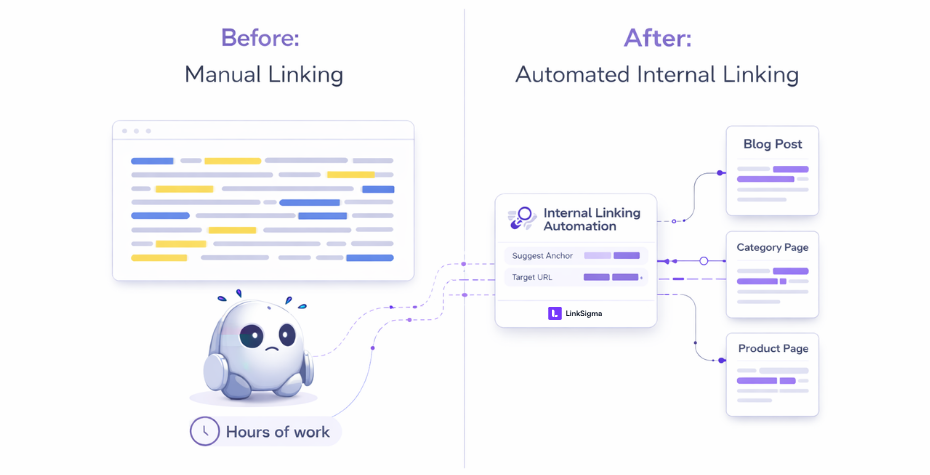
Internal linking is a routine part of SEO and content operations, but it takes way more time and manual effort than most teams expect.
Specialists often have to run repeated site:domain.com “anchor” searches, check through long lists of URLs, and find opportunities one by one, which is soul-crushing. Of course, there’re plenty of tools available out there, claiming to automate this tedious work. However, we all know that none of them have actually been useful.
In this article, I will examine the benefits of internal linking automation and how LinkSigma actually automates your internal linking processes and changes the process from hours of search-heavy labor to an automated workflow.
What is internal linking automation?
Internal linking automation is the process of automatically discovering internal link opportunities, validating their relevance, and generating link placements without manual searches, spreadsheets, or page-by-page reviews.
Unlike traditional internal linking tools that rely on static rules or partial crawls, true automation evaluates context, existing links, page types, and anchor variations at scale.
Benefits of internal linking automation
Internal linking automation is a game-changer for content and SEO teams, transforming a time-intensive chore into a streamlined workflow. The core advantages of adopting a tool like LinkSigma are:
- Massive time savings: Cut down hours of manual site:domain.com “anchor” searches and tedious URL checking into a one-minute campaign setup.
- 100% coverage of opportunities: Unlike manual efforts that miss subtle variations, automation finds all possible mentions, including close variants and contextually relevant non-exact matches.
- Focus on strategy, not labor: Free up SEO specialists from the soul-crushing labor of documentation and manual checks.
- Error-proof linking: The process is governed by filters, page categorization, and existing link checks, eliminating the risk of linking from irrelevant content (footers, navigation, advertising sections, etc.).
Now let’s see these advantages in action.
How internal linking automation works in practice
In practice, internal linking automation is applied through distinct workflows, depending on whether the goal is to build links to a specific page or from a piece of content across the site. Rather than treating internal linking as a single, repetitive task, automation adapts to the direction and scope of the linking objective.
The following use cases show how this process works in real scenarios.
Use case 1: Connect relevant pages across your website to your target page.
Let’s suppose, you need to build internal links to example.com/network-security-threats/
The initial urge is to run manual searches to find where you mention such keywords, or even close variants so you link all possible variations of that keyword.
So overall, you would need to:
- Define the intent of your target page — is it informational, transactional, commercial, or navigational?
- Identify every “network security threats” context across your website, ensuring each instance aligns with the intent of your target page.
- Include close variants of your anchor, such as “network security vulnerabilities, risks in network security, network security threats types, etc.”
- Make sure all matches are actually from meaningful content, not from navigation bars, footers, headers, etc.
- Double check each article to make sure there’s no existing internal link to your target.
- Then you need to document all your findings manually and start internal linking.
For each page, this tedious process will take hours, let alone the whole website.
Now let’s look at how this process would look like with LinkSigma’s Incoming Link Builder,
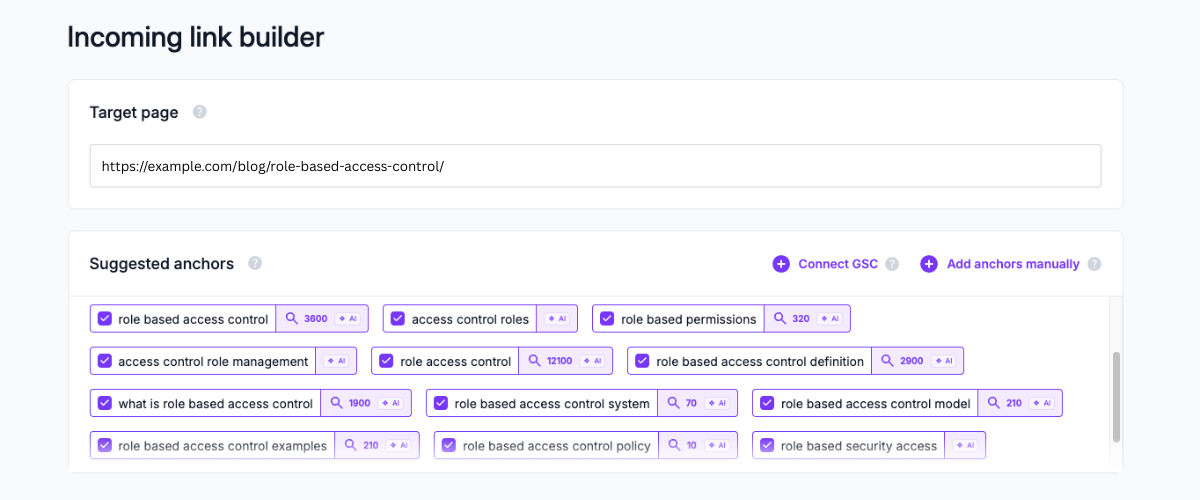
You simply copy and paste your target URL and get all ranking keywords with positions and search volumes. Use them as anchors, or simply add your own anchors.
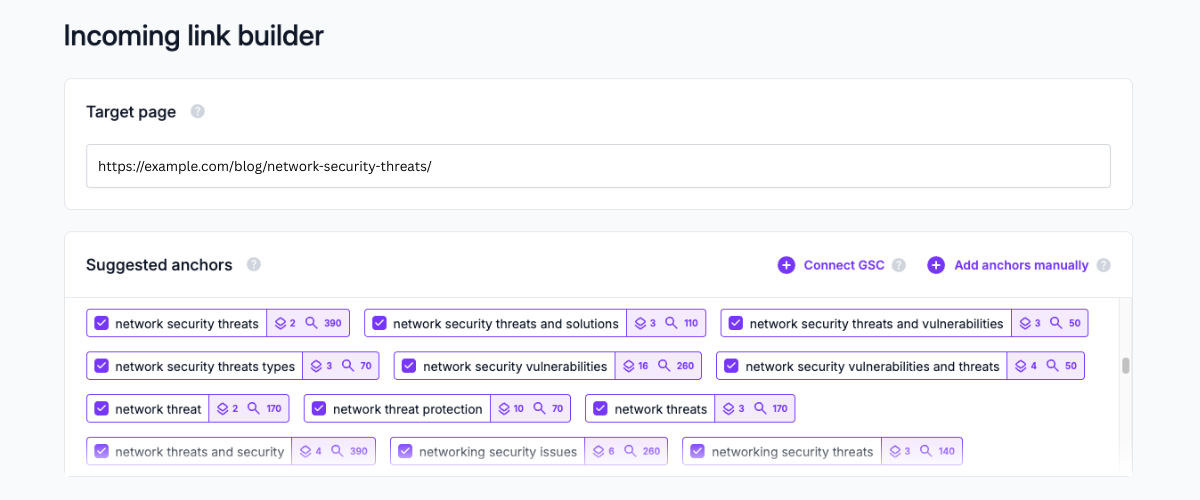
What if your page isn’t ranking? No worries, LinkSigma AI will still bring keywords with search volumes so you can run your campaign smoothly.
After the anchor selection, it’s time to set filters.
If your website has a good structure, URL patterns might come handy, simply include or exclude URL patterns.
If you don’t have a clear website structure, no problem at all. LinkSigma categorizes each page so you can include or exclude them on your internal linking campaigns.
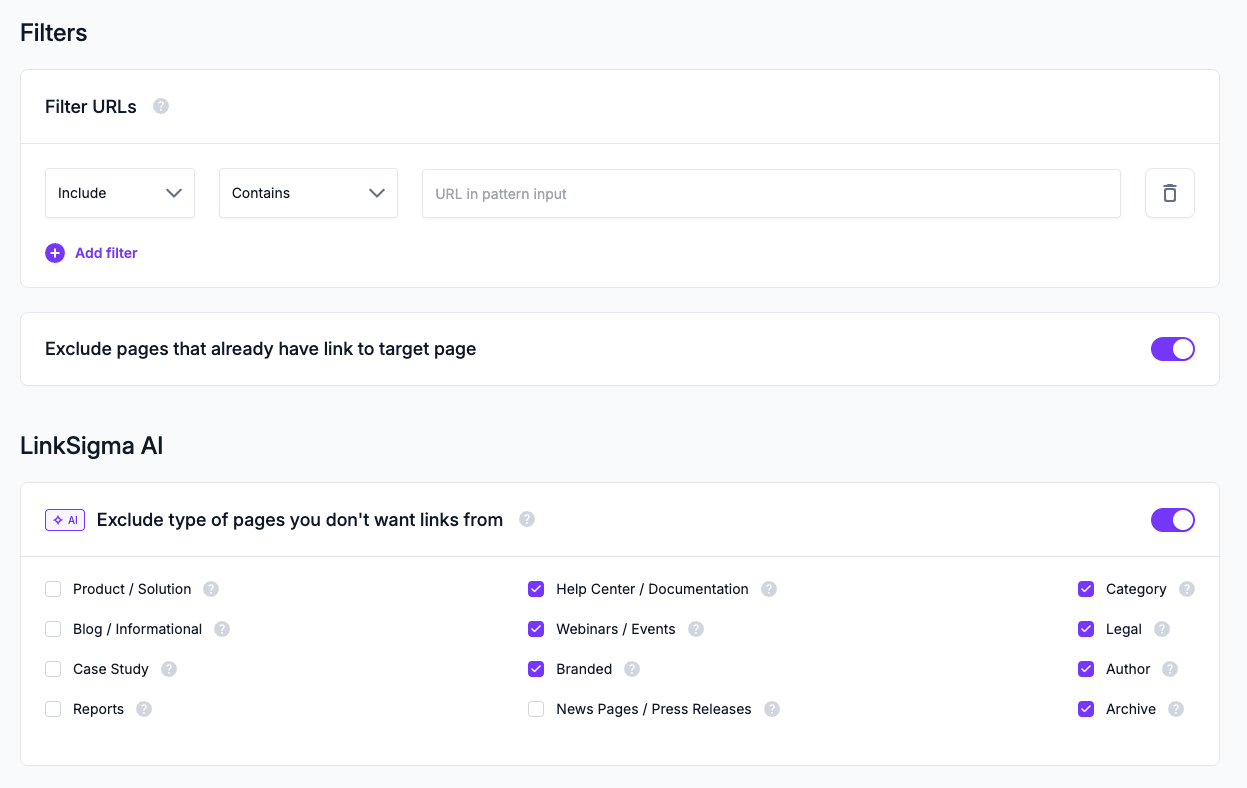
Before running and getting internal linking suggestions. Now it’s time to decide if you need text edits from LinkSigma AI.
This feature is especially useful when your target page is ultra-niche and you won’t get any exact match linking suggestions from your content. So what do we do?
LinkSigma AI automatically detects the most contextually relevant pages to your target article and provides text edit suggestions so you would still be able to make some internal links to your target.

We’ve set all our filters and run our campaign.
LinkSigma found all the possible mentions on your website, by categorizing into page types and enriching with meaningful data.
After a one-minute campaign setup, you can see all internal linking opportunities, or even text edit suggestions.
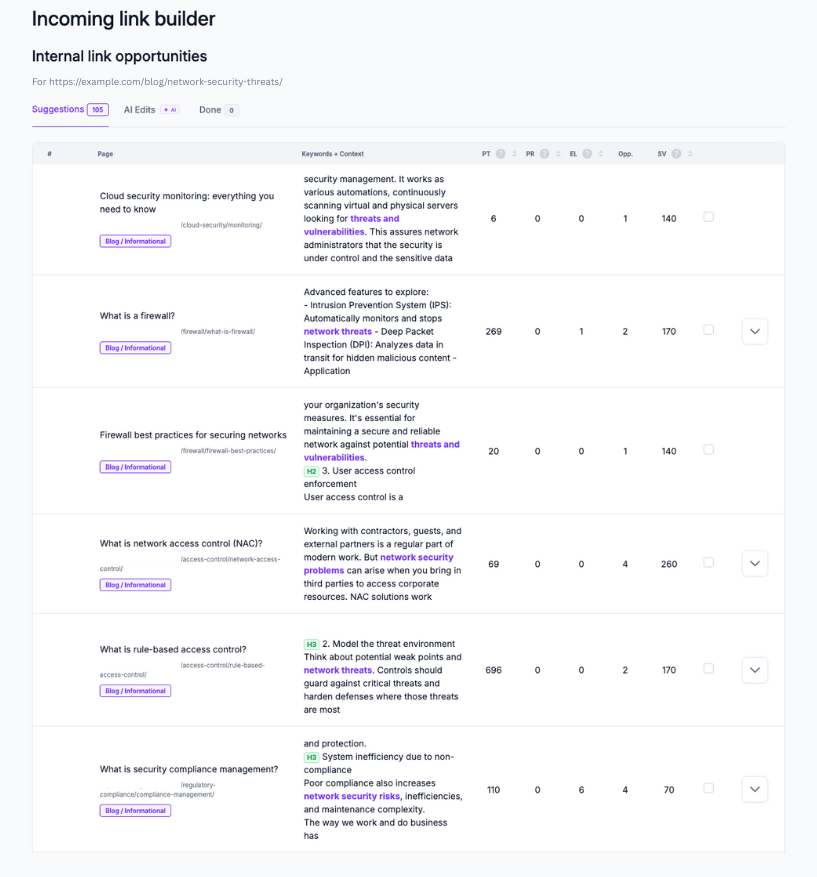
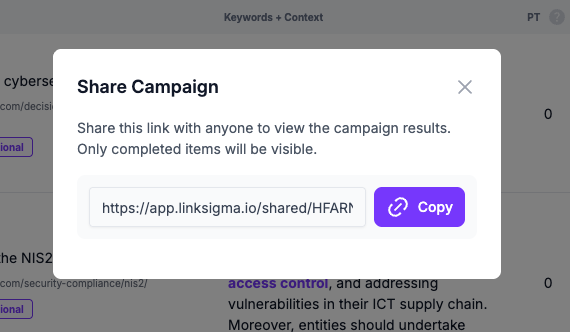
From here, select the ones you think are best and start linking, or simply share with who’s responsible for implementing these links.
Use case 2: Build internal links from your new article to whole website
Now let’s suppose, you need to build internal links from:
- A new article
- An existing article but not internally linking to enough articles.
- Draft unpublished content
In this case, you would have to remember all articles and their topics in order to decide from which keyword to where to link, which is quite time consuming.
Let’s have a look at how this process is simplified with our Outgoing Links Builder feature.
For new articles or existing articles that are recently published, keep using the feature in URL mode and simply copy and paste your URL.

However, if you’re planning to make links from a draft content, switch to Draft mode on the right top and paste your content below.
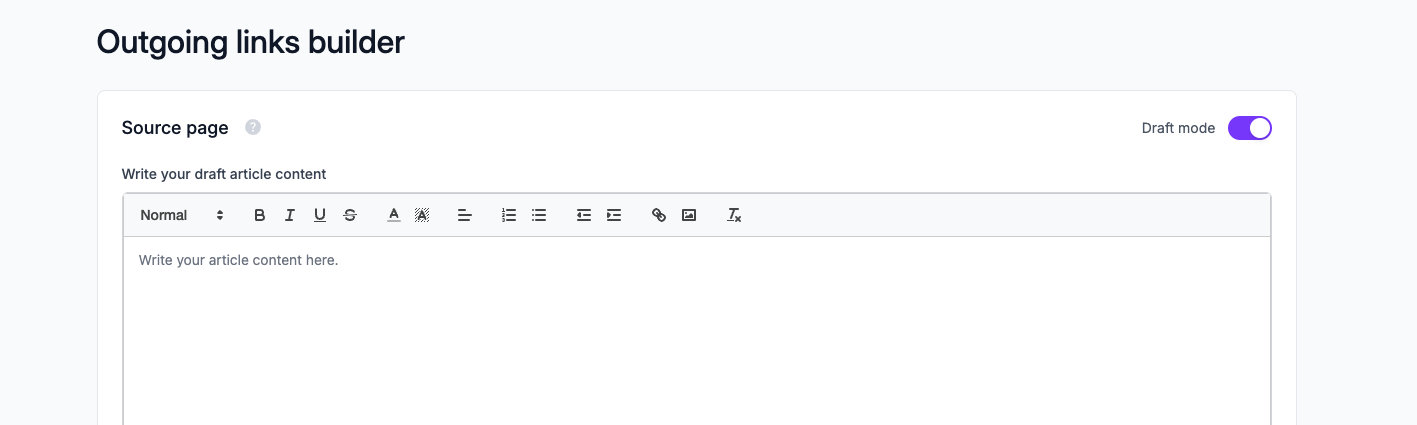
After selecting the URL pattern filters or AI filters to where to link, as shown in Incoming Links Builder, simply click on Run, and you will get the suggestions highlighted in your text.
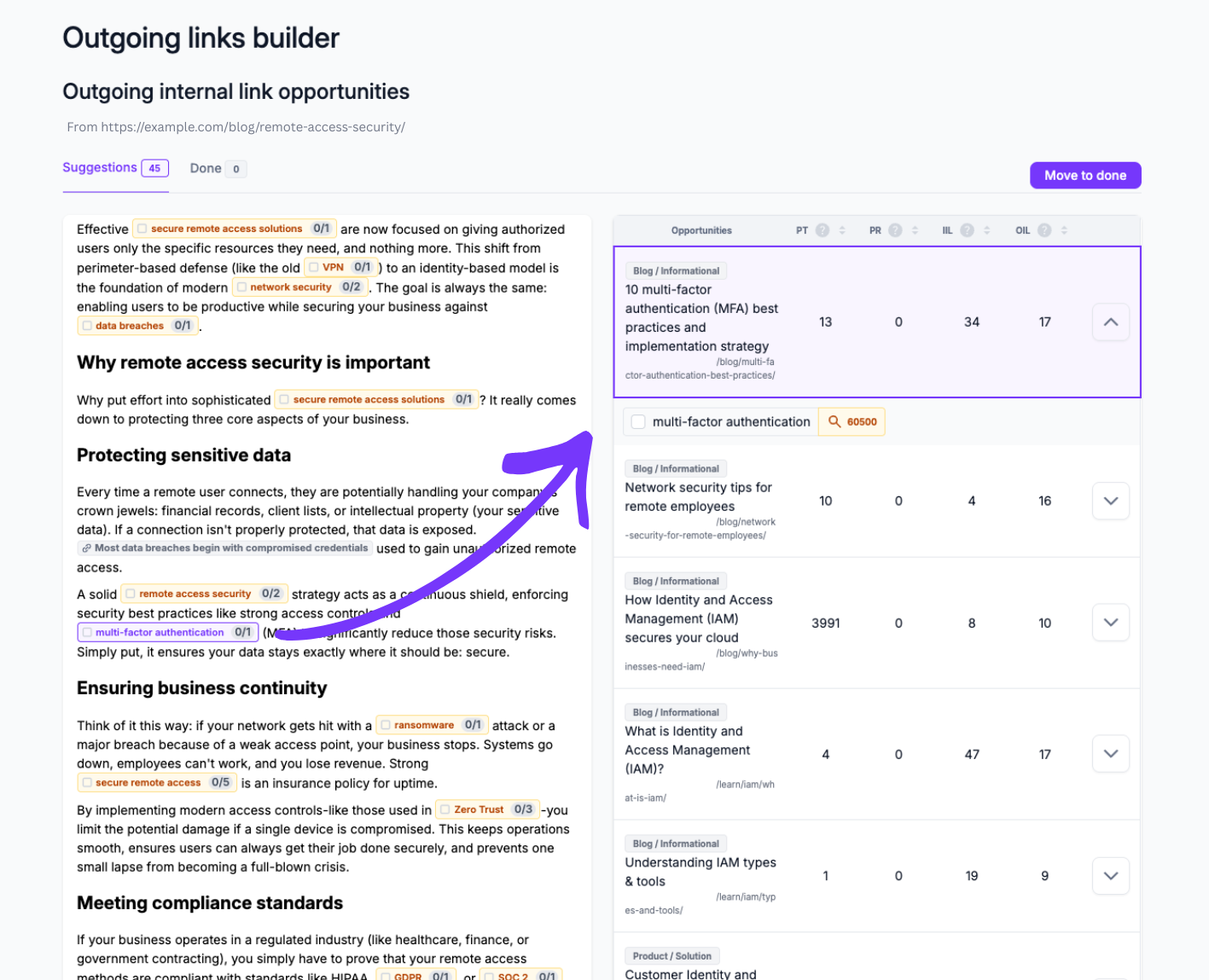
Now, simply hover over the keywords highlighted in to see where you can link to in your website. If there’re multiple articles, simply choose from a set of options as shown on the right tab.
From here, simply export or share your campaign results and start linking.
Conclusion
Internal linking automation removes the manual friction that makes internal linking slow and hard to scale. Instead of relying on repeated searches and page-by-page checks, link opportunities are discovered, validated, and prepared automatically.
With automation applied to both inbound and outbound linking, internal linking shifts from a repetitive SEO task into a repeatable system. In practice, LinkSigma cuts out the slow, repetitive work that usually comes with manual internal linking, turning the process into a quick, clean workflow instead of a time sink.